01
Continue the work
Small, task-shaped context for the next prompt, window, or agent.
Memory Autopilot
$ memorix context "finish the release"
selected: facts + verification + next steps
bounded / source-labelled
Local-first memory for coding agents
Your agent remembers decisions, code context, and where the work stopped.
Works with your agent
 CCClaude Codeplugin + MCP
 CXCodex CLIplugin + MCP
 CPGitHub Copilotplugin + skills
 CUCursorMCP + rules
 WSWindsurfMCP + hooks
 GMGemini CLIextension + MCP
 OCOpenCodeplugin + MCP
 PIPipackage + skill
 KIKiroMCP + steering
 AGAntigravityplugin + MCP
 TRTraeMCP + rules
 MCmemcodenative coding agent
 OLOpenClawbundle + hooks
 HEHermes Agentplugin + MCP
 OPOh-my-Pipackage + MCP
 DSDeepSeek HarnessMCP + skills
 MAny MCP clientstdio or HTTP
From work to context
Memorix turns a live coding session into a small, inspectable handoff for the next one.
Work
Your agent reads, edits, tests, and makes a decision.
Capture
The useful part becomes a source-labelled memory, not a transcript dump.
Continue
A new window starts with the right context and the right next read.
Read. Edit. Test. Decide.
src/codegraph/context-pack.tsrelease gate / readymemory and code stay source-backed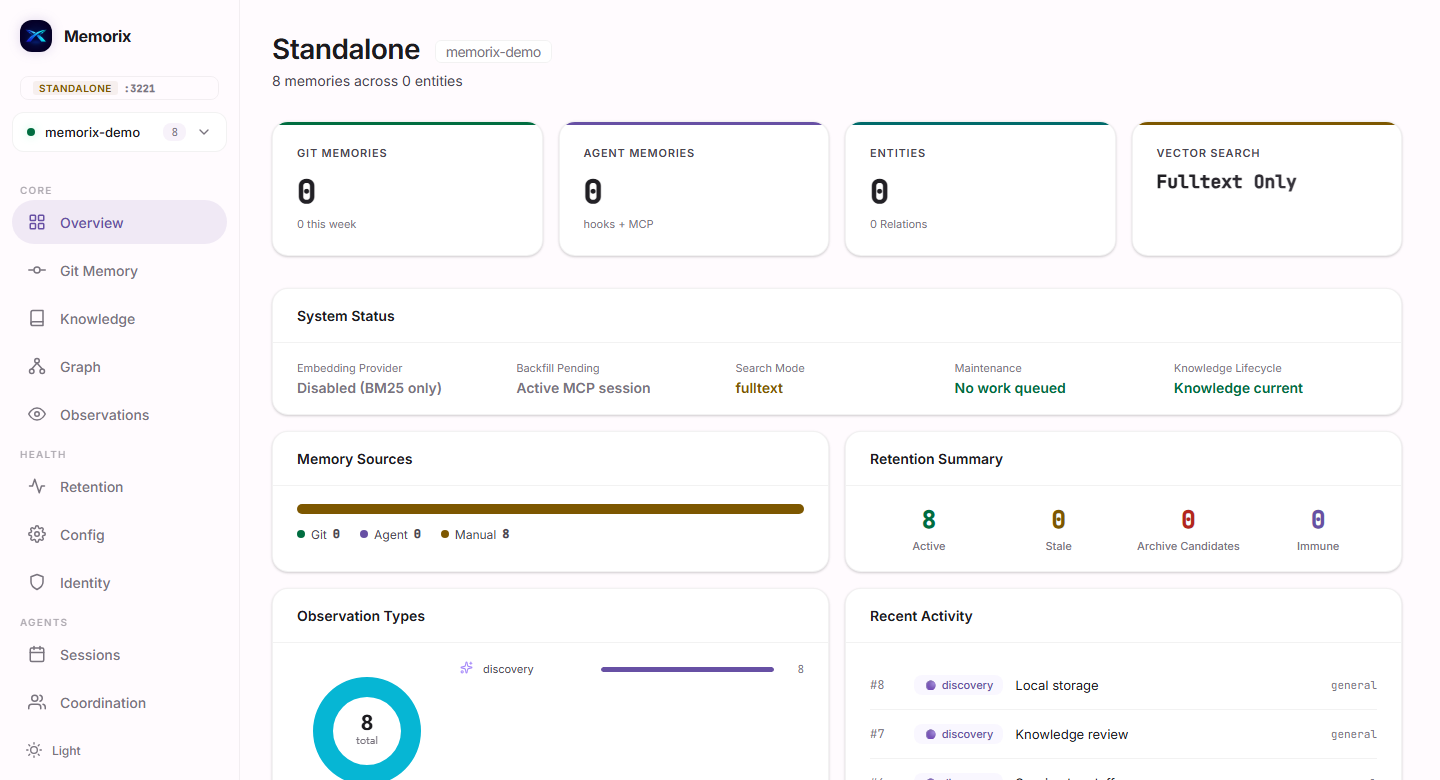
Context shaped around the next task.
One system, four surfaces
Memorix stays close to the coding loop, then gives you a clear place to inspect what it knows.
A bundled terminal agent that shares the same project memory as your MCP-connected tools.
Open memcode docs 02 / PLUG-INMCP, CLI, and hooks for capture, recall, continuation, and reliable fallback.
See integrations 03 / SOURCE-BACKEDFiles, symbols, impact, and freshness checks that keep code context tied to the source.
Explore CodeGraph 04 / CONTROLA local control surface for memory sources, retention, health, and review.
Explore DashboardDashboard
One local view for project memory, sources, retention, and health.
Explore the DashboardProduct
Small, task-shaped context for the next prompt, window, or agent.
$ memorix context "finish the release"
selected: facts + verification + next stepsSource-backed files, symbols, and impact context. Memory Map is for memories; CodeGraph is for code.
src/embedding/provider.ts3 related filesCapture freely. Promote carefully. Let retention and review keep the working set useful.
How it works
Your agent reads, edits, tests, and decides.
Useful context is captured and shaped.
The next task starts with the signal.
Built for the way agents work
Natural-language memory access inside compatible agents.
Connect an agentA dependable command surface for every project and fallback path.
Read the APICapture lifecycle events without changing the agent's core loop.
See integrationsStart with one command
Install once. Keep working.
# install
$ npm install -g memorix
# connect
$ memorix setup --agent claude --global
Ready to remember.
FAQ
No. Local full-text retrieval works without one. Providers are optional.
No. Memorix works with the agents and MCP clients in the integration matrix.
No. Context is bounded and shaped around the current task.
No. Memory Map connects memories. CodeGraph connects source-backed code context.